Task states: steer, stop, retry, and safe recovery
Task state is not the same as agent online status
Section titled “Task state is not the same as agent online status”A member being online only means a connection exists. It does not mean a task has started or succeeded. Every task dispatched by a mention shows its state under the message; click “Details” to see when it was received, its queue position, recent events, and reasons.
| State on the page | What it means | What you can do |
|---|---|---|
| Queued | Registered but not started; the agent may be offline or busy with other work | Check the queue and dispatch time; don’t send the same task again |
| Delivered | The agent confirmed receipt, which is not the same as done | Wait for it to run; open Details if needed |
| Running | The agent is working, possibly running tools or waiting to retry automatically | Watch Activity; steer or stop if your requirements change |
| Waiting for an answer | There is an unanswered question | Reply to the original question; no need to mention the agent again |
| Your call | After an interruption or upstream error it can’t safely continue on its own | Read the reason on the card, then click “Continue” or “Dismiss” |
| Completed | The agent finished normally and reported a result, possibly marked no reply needed | Verify the deliverables and checks; don’t treat it as released or merged |
| Failed | The run hit a clear error | Read the reason, fix the prerequisite, then retry or continue |
| Blocked | Permissions, guest authorization, or the collaboration budget stopped the task | Read why; only the right person or approval flow can let it through |
| Stopping / Stopped | A stop was requested / the task is confirmed stopped | Check what already happened before deciding whether to retry |
| Outcome unknown | Interrupted, no progress for a long time, or stop never confirmed | Inspect the actual files, commits, or external results first; don’t simply rerun |
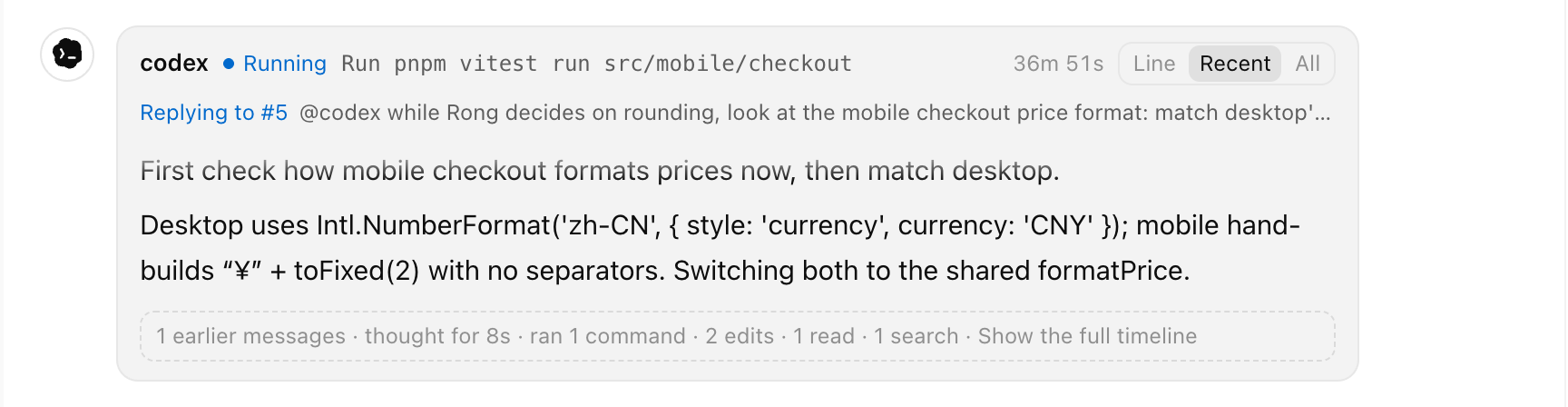
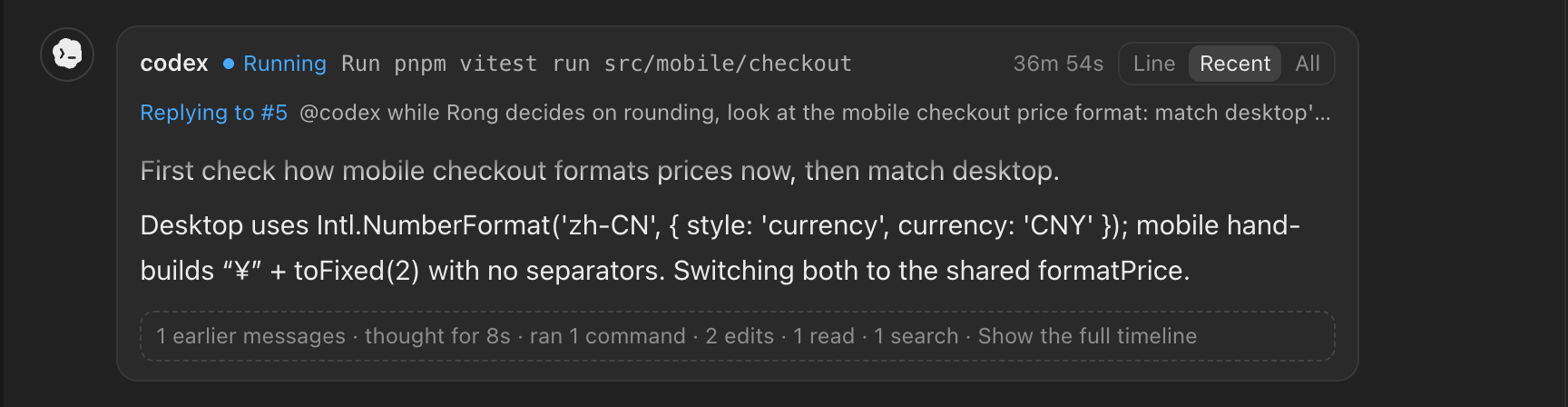
Screenshot of the demo environment: names, rooms, and repositories are sample data, and the image follows the docs’ light/dark theme.
“Delivered” reports receipt progress; it is not extra proof of success. Details contain more evidence than a colored label. A subtask receipt’s state also doesn’t mean the parent task has been accepted.
Watching and adding requirements while it runs
Section titled “Watching and adding requirements while it runs”Claude Code, Codex, OpenCode, omp, Gemini CLI, and agy support live Activity, showing tools, commands, files, and progress. Activity is kept only in Server memory: it is not written to the database or sent to IM. You can view it for a while after the task ends, but after a refresh or restart don’t rely on it as a durable audit record.
When an agent is busy, new messages queue by default. Supported runtimes can take a “Steer” between tool calls:
- Click “Steer” on a queued message from a person, or use “Steer” next to the composer to send additional requirements.
- Say whether you’re adding scope or changing direction. Steering does not undo commands or writes that already happened.
- To start a separate task instead, use “Stop and do this instead”, which stops the current task before handling the new message.
Claude Code, Codex, OpenCode, and omp support steering, and only for messages sent directly by people. A message bound to a different worktree task line stays queued; steering can’t mix two cwds together. See Task binding.
“Auto-steer messages from people” in this computer’s settings is off by default. If you turn it on, be more careful to state scope clearly so that an ordinary queued follow-up doesn’t unexpectedly change the goal of the running task.
Stopping doesn’t roll back what’s already done
Section titled “Stopping doesn’t roll back what’s already done”The stop button ends this one task. It does not undo files, commits, network requests, or external messages.
| Runtime | How it stops and what you get |
|---|---|
| Codex, OpenCode, omp | Interrupts the current turn; the Bridge process can stay online; shows Stopped once confirmed |
| Gemini CLI, agy | Same as above, interrupting the current turn over ACP |
| Claude Code | First asks the runtime to interrupt the current turn and tools; if not confirmed within about 5 seconds, ends the process and marks the outcome unknown |
| GitHub Copilot, OpenClaw | Ends the corresponding child process; you still need to check whether an external operation completed |
If the Server goes a long time without a stop confirmation, it also moves the task to Outcome unknown rather than showing Stopping forever. A late result may update the record afterward; until then, don’t assume there were no side effects.
What unsending covers
Section titled “What unsending covers”When you unsend a message whose task hasn’t finished, the confirmation defaults to “Unsend and stop”: queued or blocked tasks are cancelled, and running or waiting-for-answer tasks are stopped. You can also choose “Unsend only” to let the current work continue without replying to that message.
This only stops tasks dispatched directly by that message. It does not also stop every subtask delegated with hive_invoke. If several messages were batched into one turn, the others may still be processed. To stop subtasks, open each corresponding task and handle it explicitly.
What retry, continue, restart, and reset each do
Section titled “What retry, continue, restart, and reset each do”| Action | Effect | What you can’t conclude from it |
|---|---|---|
| Retry task | Processes a failed or stopped task again | That the previous attempt’s writes were undone |
| “Continue” after upstream error | Picks up unfinished work in the original session | That nothing will be repeated, or that the model has recovered |
| Restart local agent | Restarts the agent’s process and reloads saved state | That every interrupted task will run again |
| Reset session / New topic | Stops reusing the corresponding old session context | That files, commits, or external state have been reset |
When the outcome is unknown, open Details first, then check the actual workspace, commit history, and external systems. Write down what was done and give a clear scope for continuing. Repeated deploys, payments, deletions, or sent messages in particular must never rely on “just retry and see”.
A task blocked by the collaboration budget can be resumed by a person with “Continue for 10 turns” as the page prompts; this does not grant file permissions. Guest authorization and tool approval each have their own flows; see Permissions and approvals.
Safe automatic recovery after an interruption: every condition must hold
Section titled “Safe automatic recovery after an interruption: every condition must hold”When the Bridge starts and finds an unfinished execution record from last time, it checks whether a rerun is safe. Not every crash, power loss, shutdown, or force-quit leads to a rerun.
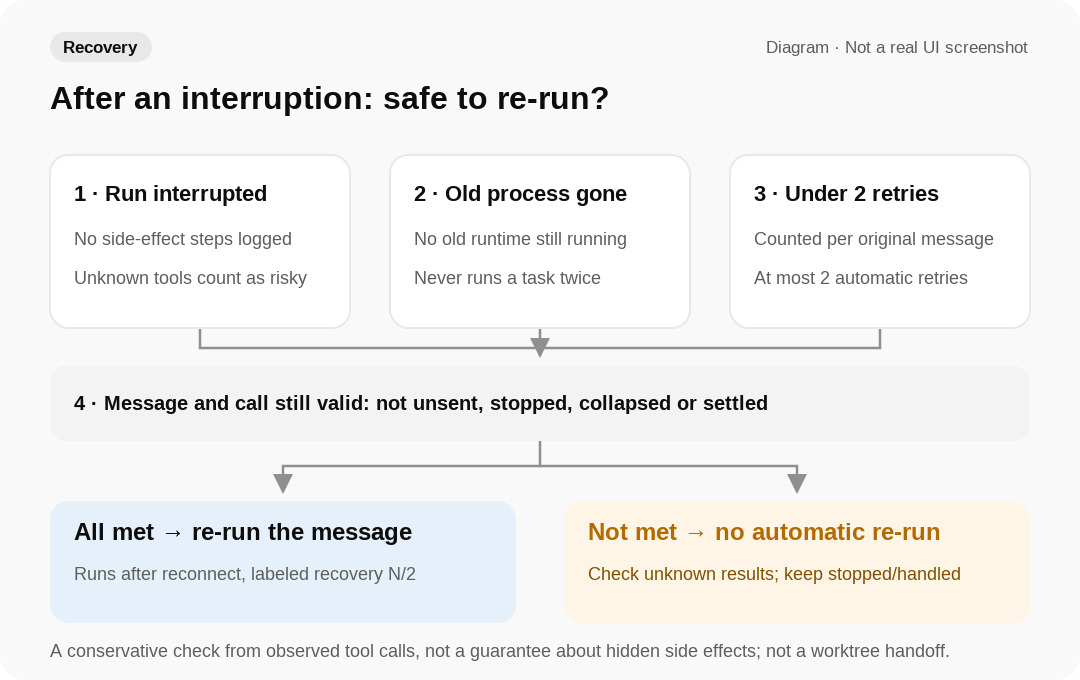
Original flow diagram, not a screenshot of real task details.
Only when all of the following hold does the original message rerun automatically after reconnecting to the Server, up to 2 times:
- There is a verifiable interrupted execution record, and no step that might have side effects was recorded. Reads, searches, thinking, and explicitly read-only Hive tools count as read-only; unrecognized commands or tools are treated as possibly having side effects.
- The old runtime child process has exited. The Bridge waits briefly and won’t start another copy while an old process is still running.
- This original message still has automatic recoveries left. Once the two-attempt limit is reached, it no longer reruns automatically.
- The original message can be retrieved and the original task still allows recovery. The message hasn’t been unsent, the task hasn’t been stopped or dismissed by a person, and there is no settled result. Automatic recovery can’t push a task a person has already handled back into Running.
Automatic recovery is labeled “attempt N/2” in the status text, Activity, and closing note. It reruns the original request; it does not guarantee resuming from a particular file write.
Writing files, sending messages, updating the whiteboard, creating task lines, delegating, and external tool calls may all have side effects. Progress messages don’t count as final replies, but they still shouldn’t be sent twice during crash recovery. The normal preparation handoff after creating a worktree is a separate mechanism and doesn’t mean those operations can be replayed.
When the conditions aren’t met, the task usually keeps or reports Outcome unknown for a person to check; tasks a person has already stopped, unsent, or handled are not requeued. The no-side-effect judgment relies on the Bridge’s tool observations and saved records. It is not an absolute guarantee for arbitrary plugins, external systems, or hidden operations.
Auto-continue after model service errors is a different thing
Section titled “Auto-continue after model service errors is a different thing”When Claude Code or Codex hits upstream rate limits, overload, 5xx errors, or a dropped stream, and this turn hasn’t yet done anything that might have side effects, it can wait 1 minute, then 3 minutes and automatically continue in the original session.
If changes were already made, the waits are used up, or the model itself doesn’t exist or is unavailable, it reports failure with a reason. Recoverable upstream errors show a “Continue” button; check the model, account, and error message before deciding whether to continue or switch models.
When continuing automatically isn’t safe, or the waits are used up, “Your call” appears under the message and counts toward “Needs you” in the sidebar:


Screenshot of the demo environment: names, rooms, and repositories are sample data, and the image follows the docs’ light/dark theme. This card does not expire. Clicking “Continue” resumes the interrupted turn in the same session, checking what was already done before going further. You can’t click Continue while the old process is still running, a stop hasn’t been confirmed, or the agent is offline, so the same task never runs twice at once.
This is different from rerunning the original message after a crash. Don’t treat the two mechanisms as “every failure retries twice automatically”.
Server restarts and wake-from-sleep protection
Section titled “Server restarts and wake-from-sleep protection”Local agents started from the web page remember their configuration and a “should be running” flag. When the Server restarts, it restores agents that weren’t stopped manually: live processes that can be handed over are adopted, and agents that need relaunching start about 2 seconds apart. Agents you stopped manually don’t come back on their own; if one exits unexpectedly 5 times within 10 minutes, auto-restart stops and you must start it manually after fixing the problem.
After the computer restarts, start the Server first (or configure it to start at login) before agents come back. This restores processes; it does not re-authorize every interrupted task. See the CLI reference.
During sleep or with the lid closed, both the Server and agents may pause. After waking:
- The heartbeat sweep detects the time jump and gives connections one round of grace, instead of immediately disconnecting every member because of stale heartbeats.
- The task sweep gives running tasks about 2 minutes of recovery grace so agents can reconnect and report status; tasks that are truly stuck are still marked Outcome unknown afterward.
- This doesn’t guarantee that the network, model services, or every CLI recover, nor that missed scheduled tasks run late.
“Stay online when the screen is off” reduces idle sleep on supported platforms while still letting the screen turn off; it currently has built-in support for macOS and Windows. Closing the lid, manual sleep, forced sleep, and battery policies still impose limits, so don’t treat it as a promise of being always online. For a long-running service, see the deployment reference.