Worktrees: task isolation, handoff, and safe cleanup
When to use a worktree
Section titled “When to use a worktree”When several agents change the same repository in parallel, each task line gets its own Git worktree: a separate working directory and branch that share the same repository’s Git history. This keeps tasks from overwriting each other’s uncommitted files, switching branches under each other, or polluting build output.
Read-only reviews or small changes with no parallel conflicts don’t necessarily need a new directory. A worktree is also not an operating-system sandbox: permissions are still governed by the runtime and account, and you still need to agree on non-overlapping write sets.
Check eligibility and scope before creating one
Section titled “Check eligibility and scope before creating one”The Hive-managed tools require that:
- The task was started by the room owner, and the agent is hosted by the local Server and configured with write access.
- The room workspace is a local, non-bare Git repository.
- The development goal, writable files, and whether committing, merging, and pushing are allowed have been made clear.
Guest tasks, guest agents, unconfigured agents, and remote or proxied requests can’t use these tools to create or clean up local task directories. An ordinary join credential is not authorization to manage local worktrees.
The example below only illustrates the tool parameters; it doesn’t create a branch:
{ "slug": "login-form"}The agent calls hive_worktree_create to create or reuse a task line. The default path is <repo parent dir>/<repo dir name>-wt/<agent>-<slug>, and the default branch is feat/<agent>-<slug>.
By default it’s based on the current commit of the local default branch: it prefers the branch that local origin/HEAD points to, falling back to main or master. This is not the latest remote commit; creation doesn’t fetch, pull, move the main checkout, install dependencies, or run Git hooks. If you need a different base, pass base explicitly and check the commit returned.
One task line reuses one slug
Section titled “One task line reuses one slug”A slug identifies a development task line, not a chat message. Follow-up requests, retries, and review fixes all reuse the original slug; calling create again also registers the current task to that task line.
An existing managed directory is reused after its identity is verified. Don’t change the branch or base for the same slug, and don’t automatically take over a same-named task line from another room as the current task. Registrations left by failed or interrupted creation still show up; don’t force-delete them by hand just to retry.
Use a new slug when you start a genuinely separate task. Hive can’t reliably infer which line you mean from natural language like “continue that login task”.
Preparation turn and new-session handoff
Section titled “Preparation turn and new-session handoff”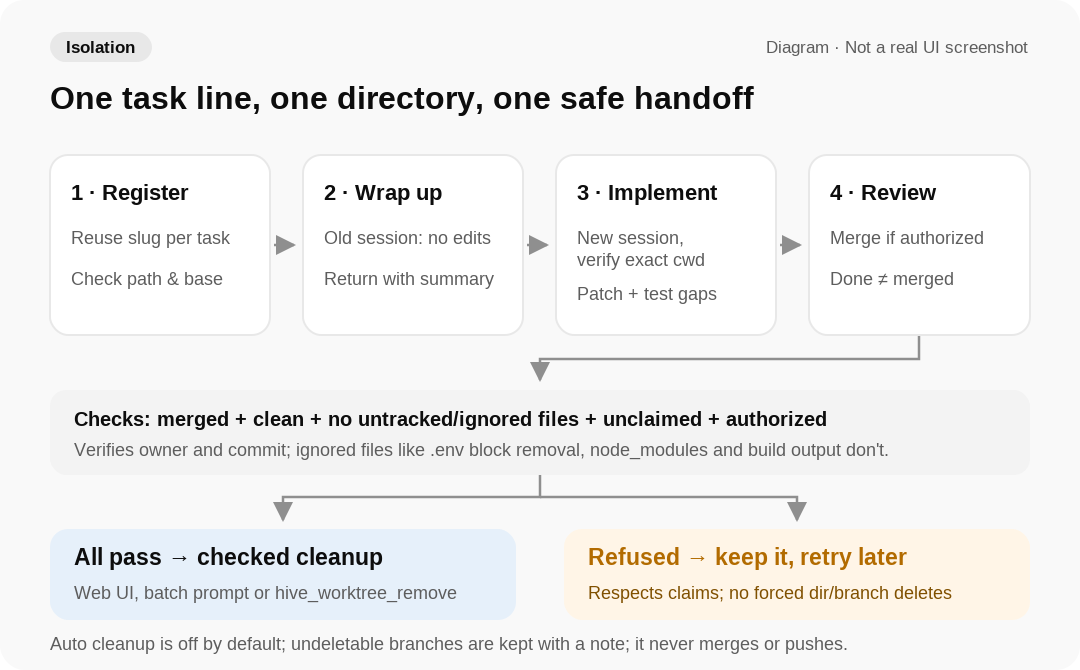
Original flow diagram, not a screenshot of the actual Worktree panel.
When a local managed Bridge that supports handoff returns runtimeHandoff, the flow is:
- The preparation turn only prepares: verify the task, create the worktree, register on the whiteboard, briefly state the path and remaining work, then end normally. Don’t modify files in the old session first.
- The Bridge shuts down the old runtime: it doesn’t
cda still-running old session into the new directory, nor move the original session over. - A new runtime and new session start in the exact cwd: using the configured permission level, refreshing instructions and attachment boundaries, and carrying the public context plus the preparation summary.
- The new turn first checks directory, branch, base, and changes: it continues the unfinished work from the handoff summary without replaying creation or external actions that already happened.
Read-only preparation, worktree creation, whiteboard updates, and progress notices clearly identifiable as progress: true don’t block a normal handoff. But ordinary messages, questions, delegation, file changes, or unknown tool calls prevent automatic continuation, so side effects aren’t repeated in another directory. Runtimes that can’t identify the progress parameter are also handled conservatively.
A normal handoff here does not rerun the preparation turn from scratch, which differs from safe recovery after a crash. If the handoff didn’t happen, check the original workspace and Details first, then let the room owner decide whether to continue; don’t forcibly move the old session over yourself.
The Workspace level applies the existing runtime permissions only to the new cwd. It doesn’t grant access to the whole -wt parent directory or to other agents’ checkouts. Older Bridges may not support this; upgrade and restart the managed agent before creating worktrees at the Workspace level. Capabilities and guidance returned by unmanaged or older versions must be checked item by item, without widening permissions on your own.
Task binding decides which directory work continues in
Section titled “Task binding decides which directory work continues in”A task explicitly bound to a worktree keeps its task line. Even if the room’s or agent’s current focus later changes, retrying the old task won’t run it in a new task directory.
Unbound follow-up messages use the current focus, so register a slug explicitly when there are several development tasks. Messages for different directories aren’t casually merged into one turn; a message bound to another directory stays queued and can’t be pushed into the current cwd by steering.
Switching checkouts discards old threads that don’t match; a saved session can only be resumed when the recorded working directory matches. If the directory doesn’t exist, the registered identity doesn’t match, or a safety check fails, keep things as they are and investigate. Don’t take a single 403/404 as proof that you can create anew or force-delete.
Delivered is not merged
Section titled “Delivered is not merged”When development is done, hand it to the reviewer with:
- Path, branch, and base commit; the exact commit hash if there is a commit.
- The full patch, including new files, and whether the allowed write set was respected.
- Which checks passed, which parts were only inspected, and which model or production verification wasn’t run.
- An explicit note if it isn’t committed or merged; don’t use “done” to imply it’s on the default branch.
Move the whiteboard item to ready so review can depend on it. Merging, releasing, and cleanup are each separate actions that must stay within the original authorization; the managed cleanup tool doesn’t merge or push branches for you.
Safe cleanup: removal only when every check passes
Section titled “Safe cleanup: removal only when every check passes”hive_worktree_list or the web “Task directories” panel shows task lines registered by Hive; it doesn’t take over directories created by hand.
Cleanup verifies the exact path, Git repository identity, branch commit, and task occupancy, and requires that:
- It’s covered by the default branch: ordinary merges are checked by ancestry, and cherry-pick/squash merges by a limited patch-equivalence check. When it can’t be determined, the checkout is kept; safety is never guessed.
- The checkout is clean: no tracked changes, no untracked files, and no ignored files that block cleanup.
node_modulesat any level (directory or symlink) and build output such asdist/,coverage/,.astro/, and*.tsbuildinfocan be regenerated, so they don’t block cleanup and are deleted with the directory; for symlinks only the link itself is removed, never the main checkout’s dependencies. Other ignored files such as.env, local config, or screenshots inoutput/still block removal; the list’signoredFilesand the web “Task directories” panel show exactly which files. - It’s not in use and not locked: running, queued, stopping, or waiting-for-answer tasks, unresolved Outcome unknown results, related subtasks, and so on can all block cleanup.
- The room owner has authorized cleanup, and the path and branch commit the request was based on haven’t changed.
Plain git status output, seeing Completed, or receiving a merge notice is not enough to prove a directory can be deleted.
Use the checked entry points, never force-delete
Section titled “Use the checked entry points, never force-delete”- The room owner can select eligible items in the web “Task directories” panel, check the paths, and confirm; batch reminders offer the same safety checks. Open the panel from the ”⎇ branch” dropdown under the room name in the chat header: click “Manage task directories” at the bottom of the dropdown. Like the dropdown, it’s only available to the room owner viewing the page on the Server’s own computer, and only when the room workspace is a git repository. Like “Code” and “Artifacts”, it opens by default as a resizable side drawer that can be expanded to full width; Esc closes it.
- With the room owner’s authorization, an agent uses
hive_worktree_remove({ path, deleteBranch? }). By default it triesgit branch -d; there’s no force parameter. - After an equivalent squash or cherry-pick merge, the directory may be removable while Git still refuses to safely delete the branch. The tool reports that the directory was removed, the branch was kept, and why; don’t paper over that difference with a force delete.
- Automatic cleanup is a per-room setting, off by default. The toggle is at the top of the “Task directories” panel, and turning it on requires owner/device confirmation. Once enabled it only handles directories that pass the same checks; it doesn’t periodically delete all task directories.
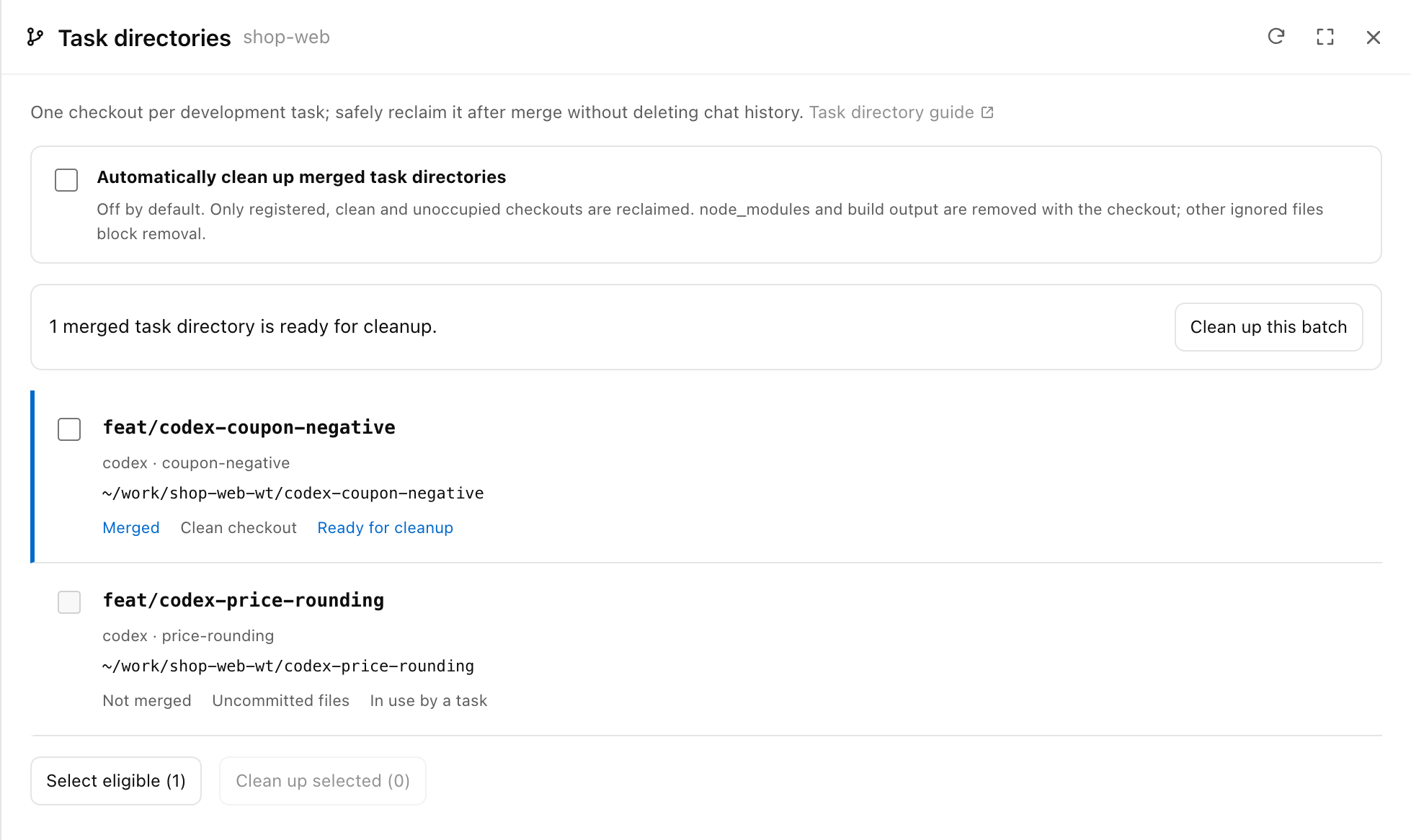
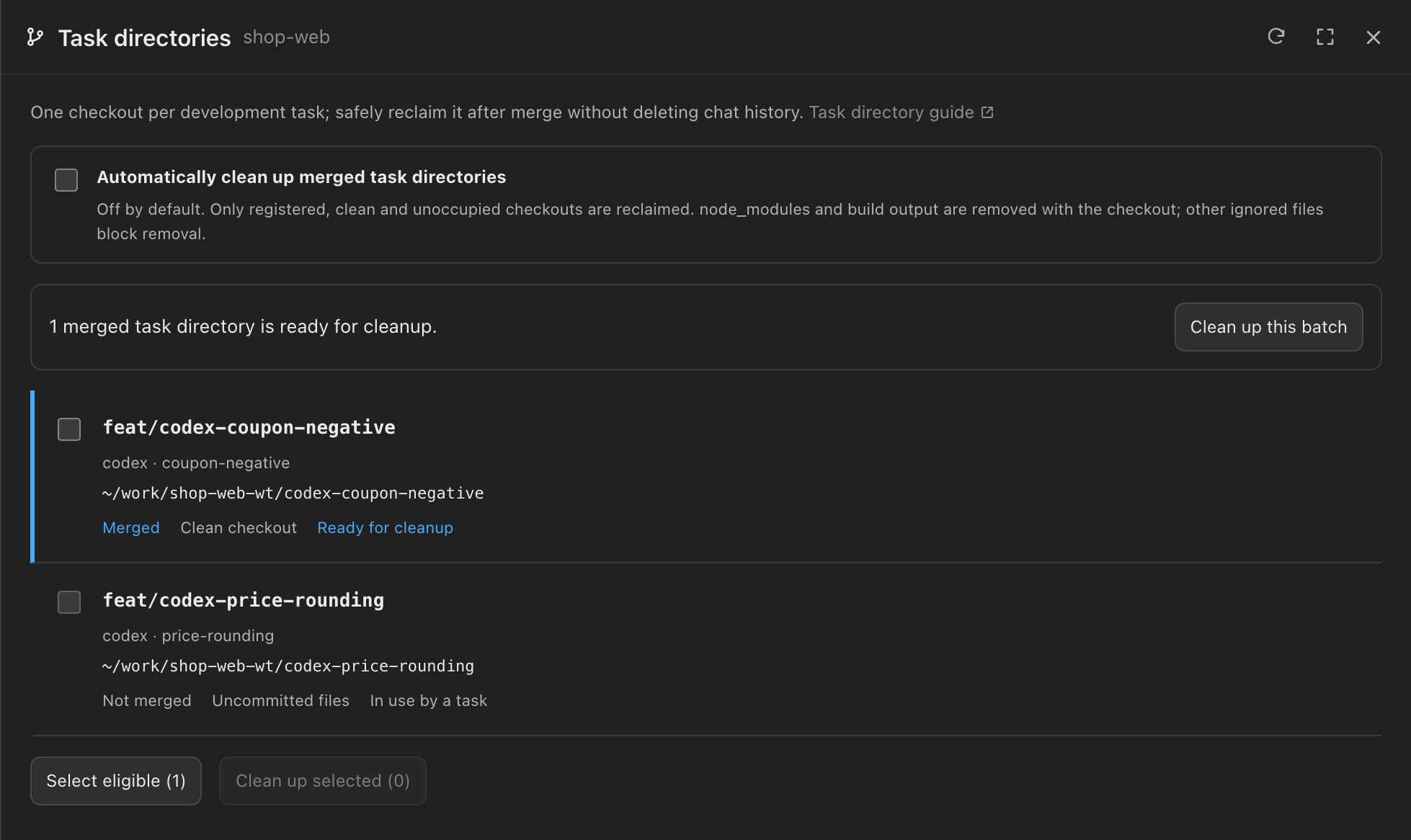
Screenshot of the demo environment: names, rooms, and repositories are sample data, and the image follows the docs’ light/dark theme. The “Task directories” panel opens from the bottom of the header’s ”⎇ branch” dropdown, not from “Manage room”; each entry shows the branch, owning agent, path, and why it can or can’t be cleaned up.
Don’t bypass the checks on your own or anyone else’s managed directories with a bare git worktree remove, a recursive filesystem delete, or a forced branch delete. Even after a merge, queued messages may still be bound to that directory. An “in use” refusal means try again later, not find another command to delete it.
Ignored files that block cleanup should first be reviewed by the room owner for value and origin, then handled separately under explicit authorization. Don’t delete credential files or local config just to “make cleanup pass”.
After a safe cleanup, the Server keeps a cleanup receipt for the retired task line, so related old messages or delegation receipts aren’t mistakenly dispatched to another directory and rerun. Abnormal registrations left by deleting a directory by hand may have their metadata restored only under strict identity checks; that doesn’t prove the branch was merged, and it is not a recommended way to clean up.
For more implementation and troubleshooting background, see the development reference and troubleshooting.